
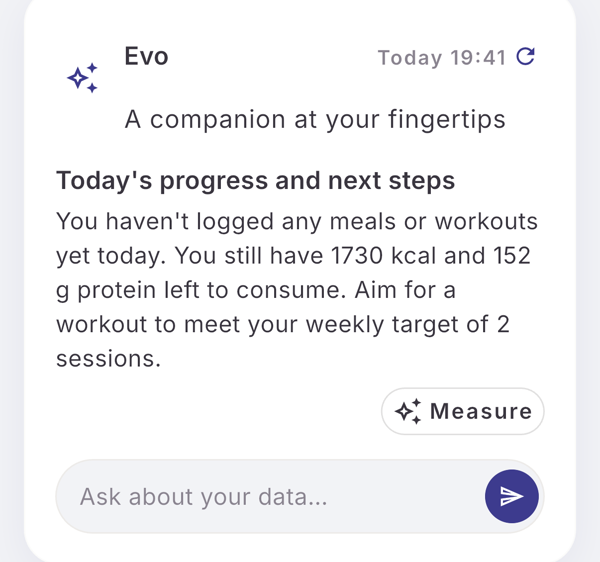
Tap the refresh icon next to the date on the Evo card. Evo looks at what you logged today, what is left against your targets and what would make sense next, and the answer replaces the card.
Steps
- Open Home and find the Evo card.
- Tap the refresh icon next to the date at the top right of the card.
- Wait while the icon turns into a spinner.
- Read the answer on the card, now labeled “Today” with the time of the check.
- Tap the card to see the check in the thread, under your message “Check my day so far”.
What you see
- In the thread, the answer is marked “Day check ·” and the time.
- The answer can carry one action chip, such as Measure.
- Evo checks your day only when you tap. It never runs a day check on its own.
Limits
| Plan | Day checks per 30-day cycle |
|---|---|
| Free | 3 |
| Pro | 60 |
In your first week the Free number is doubled. Day checks and typed questions to Evo are counted separately.
If it does not work
- “Nothing new since 13:42” (your time): nothing was logged since your last check today. It does not count. Log something and tap again.
- The icon does not react: a check is still being answered. Wait for the spinner to stop.
- When the day checks for this cycle are used, the Pro screen opens and your check shows “You’ve used this cycle’s questions. Pro has more.”
Related
- What Evo reads and when it speaks: /blog/meet-evo
- /help/evo-card-and-thread
- /help/ask-evo