
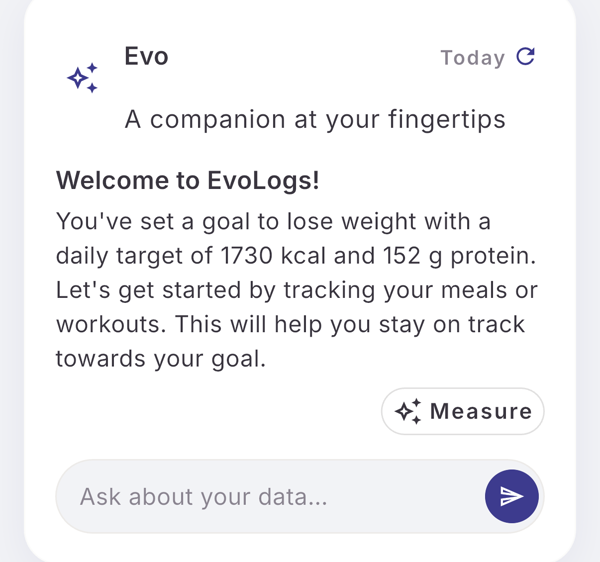
Tap Ask about your data… under the Evo card, type your question and send it. Evo answers in the thread from your own logs.
Steps
- Tap Ask about your data… under the Evo card on Home.
- Type your question, up to 1,000 characters.
- Tap the send button.
- Read the answer in the thread.
Ask about one thing
Some screens open the thread with that item attached, named in a line above the field. Tap its × to ask without it.
| Where | Tap | Line above the field |
|---|---|---|
| Nutrition, the menu icon | Ask about today | “Asking about today’s meals” |
| A meal in nutrition History | the sparkle icon | “Asking about this meal” |
| A past workout session | the sparkle icon | “Asking about this session” |
| A saved workout plan | the sparkle icon | “Asking about this plan” |
| A saved measurement | the sparkle icon | “Asking about this reading” |
| Goals in Profile | the sparkle icon | “Asking about your goal” |
The shortcuts show only while you can type to Evo.
Limits
| Plan | Typed questions per 30-day cycle |
|---|---|
| Free | the first question after onboarding, then 5 per cycle |
| Pro | 300 |
In your first week the Free number is doubled. Answer chips are never counted.
If it does not work
- The field reads “You’ve used this cycle’s questions. Pro has more.” Your Free questions are used. Tap it to see Pro, or wait for the next cycle. The thread and answer chips keep working.
- “Evo couldn’t answer that. Try again.” Send the question again.
Related
- What Evo knows about you: /blog/meet-evo
- /help/evo-card-and-thread
- /help/check-your-day