
Nutrition
Photograph the plate. Get the macros.
Take a photo of your meal, say it out loud, or type it. EvoLogs returns the calories and macros as an estimate you check before saving.
No database search. Foods you confirm are saved to your own catalog, so the next time you eat them they come back without an AI call.
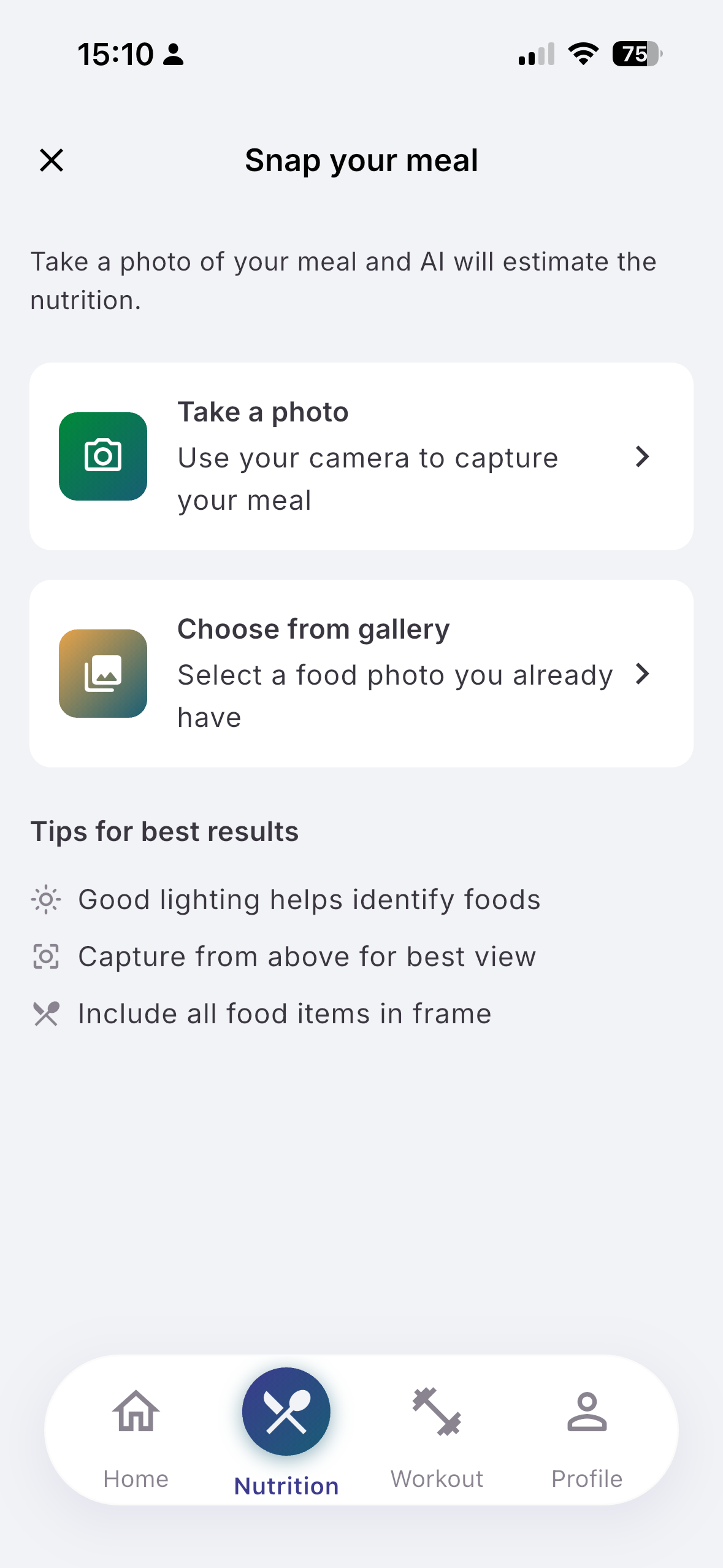
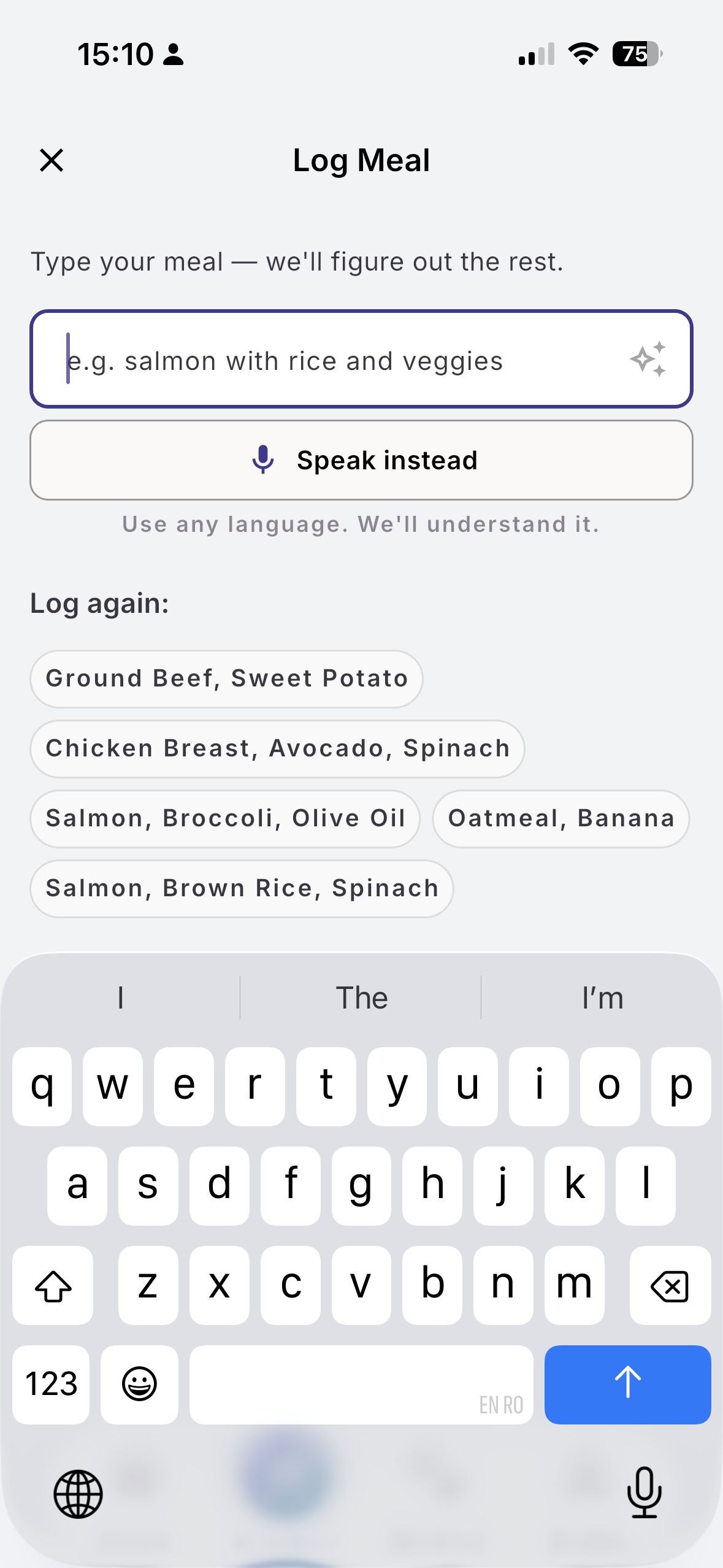
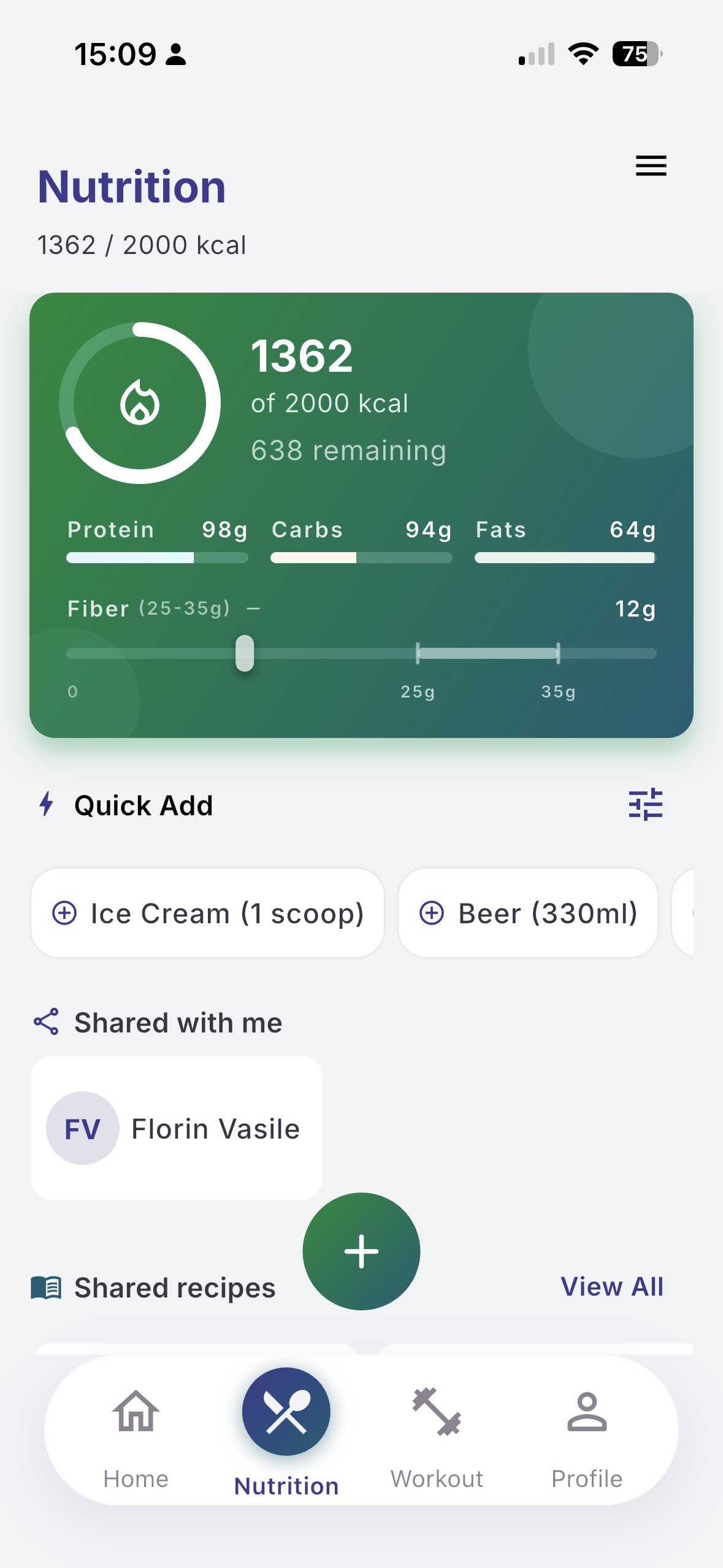
Three ways to log a meal
Photo. Take or pick a picture of the plate. EvoLogs reads the foods it can see and returns an estimate of the portions and macros. Free includes 5 photo analyses per 30-day cycle, Pro 40.
Voice or text. Say or type "150g chicken breast with 200g rice" or "scrambled eggs with toast". The microphone is on the same input as the keyboard. No database search.
EXAMPLE
You type: "150g chicken breast with 200g rice"
EvoLogs returns:
- Chicken breast (150g): 46g protein, 0g carbs, 5g fat — 231 kcal
- White rice (200g): 5g protein, 56g carbs, 0.5g fat — 260 kcal
Total: 51g protein, 56g carbs, 5.5g fat — 491 kcal
Catalog first, AI last. As you type, EvoLogs suggests foods from your personal catalog (foods you've logged before); picking one uses no AI. Sending a description to the AI uses one text meal analysis.
Edit before saving. Nothing is saved until you confirm it. Review what EvoLogs understood, adjust quantities or macros, then save. Corrections are kept in your catalog for next time.
Daily Macro Tracking
Set your targets. Define daily goals for calories, protein, carbs, and fats. EvoLogs shows your progress throughout the day with clear visual indicators.
See where you stand. Dashboard shows consumed vs. target at a glance. Progress bars update in real-time as you log meals.
Meal organization. Meals are automatically categorized by time (breakfast, lunch, dinner, snack) or you can override manually. Pre-workout and post-workout options available for gym-goers.
Day-specific overrides. Refeed day? Special occasion? Set different targets for specific days without changing your defaults.
Recipes
Save meals you make often. Create recipes with ingredients and instructions. EvoLogs calculates total and per-serving macros automatically.
One-tap logging. Select a saved recipe, choose how many servings you ate, and log it instantly. No re-entering ingredients every time.
Build your cookbook. Browse all your recipes, search by name, see per-serving nutrition at a glance. Your personal food library grows over time.
Meal Planning
Plan ahead. A simple multi-day planner lets you assign meals to days and meal types. See expected macros before you eat.
Use recipes or recent meals. Add planned meals from your recipe book or repeat recent logs. Copy successful days to other days quickly.
Optional shopping list. From a meal plan or recipe, you can generate a shopping list with combined ingredients. It is a helper from planning — not a primary Free/Pro differentiator.
Log planned meals instantly. When it's time to eat, tap "Log this meal" on any planned item. Macros flow directly to your daily log.
Personal Food Catalog
Grows as you log. Every food you confirm is saved to your personal catalog. Next time it is suggested as you type, with no AI call.
Your foods, your numbers. Store the values you trust for foods you eat regularly. If an estimate was off, correct it once and the catalog keeps your version.
Manual entry option. Know the exact macros from a nutrition label? Enter them by hand. Manual entries are unlimited and use no AI quota.
How It Works
Logging a Meal
- Tap Log Food on the dashboard
- Photograph the plate, tap the microphone, or type it (e.g., "2 eggs with avocado toast")
- Review the ingredients and macros EvoLogs returned
- Adjust quantities if needed
- Confirm to save
Creating a Recipe
- Go to Recipes in the Food tab
- Tap Create Recipe
- Add ingredients using natural language or search
- Set number of servings
- Add instructions (optional)
- Save — macros calculated automatically
Setting Macro Targets
- Go to Settings or Food module settings
- Enter daily calories, protein, carbs, fats
- Optionally let EvoLogs suggest based on your goal
- Targets apply immediately to dashboard and logs
AI Accuracy & Transparency
Confidence labels. Each ingredient carries a match label: High match, Good match, or Review suggested. Low-confidence items are flagged so you know which numbers to check.
You see the input and the output. Your original text is kept next to what EvoLogs understood, so you can tell whether it read the meal correctly.
Every number is an estimate. AI portion and macro estimates are approximations, not lab measurements. Correct them where it matters and your catalog keeps the corrected value.
Free vs. Pro
Free
- 15 text meal AI analyses per 30-day cycle (shared with recipe, ingredient and Quick Add AI)
- 5 photo meal analyses per 30-day cycle
- Unlimited manual entries
- Recipes, meal planning and shopping list included
Pro
- 200 text meal AI analyses per 30-day cycle
- 40 photo meal analyses per 30-day cycle
- Higher caps — not unlimited AI, and no free trial
- Everything in Free
Caps run on a 30-day cycle that starts when Early Access ends. Early Access Week gives new accounts doubled Free AI caps and Health Sync for their first 7 days.
Your Data, Your Control
All nutrition data is stored securely in your account. You can request a data export by email from the app, and delete your account anytime (7-day grace period). We never sell your health data to third parties.
Log your next meal with one photo
Available now on the App Store and Google Play. Free to start, AI included.