
Open Recipes from the Nutrition menu and tap Create. Describe the recipe and let AI build it, or tap Create manually and enter it yourself. Once saved, a recipe logs with its own numbers and no AI.
Steps
- On the Nutrition tab, open the menu at the top right and tap Recipes.
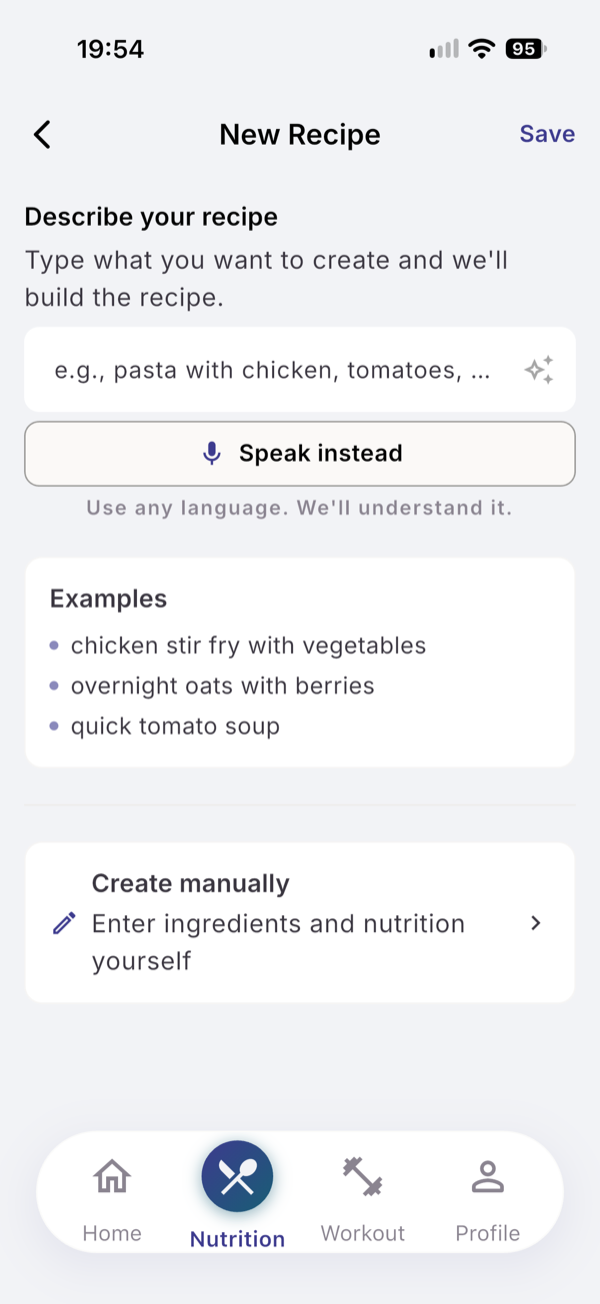
- Tap Create to open New Recipe.
- Under Describe your recipe, type it, for example “overnight oats with berries”, and tap the sparkle button.
- Or tap Create manually and add the name, servings and ingredients yourself.
- Check the ingredients, set Suitable for and an optional Cover photo, then tap Save.
- To log it, tap the recipe and choose Log Meal.
- Choose the meal type and the number of servings, then tap Log meal.
Save a meal you just logged
On the Meal Preview, turn on Also save as recipe, type a Recipe Name, and tap Save Meal & Recipe. A photo meal keeps its photo as the cover.
Archive or delete
Tap a recipe and choose Archive. The eye icon next to the search field shows archived recipes; Restore brings one back.
What you see
If a new recipe looks like one you have, choose Update existing or Save as new. A saved recipe’s ingredients are added to My Ingredients.
Limits
Describing a recipe uses one text analysis: 15 per 30-day cycle on Free, 200 on Pro. Manual recipes and logging a recipe are free.
If it does not work
- “This recipe has no ingredients to log.” Edit the recipe and add at least one ingredient.
- “AI needs internet. Log manually.” Use Create manually.
Related
- Why: /blog/calorie-tracking-without-a-food-database
- /help/plan-meals-and-shopping-list
- /help/your-ingredient-list