
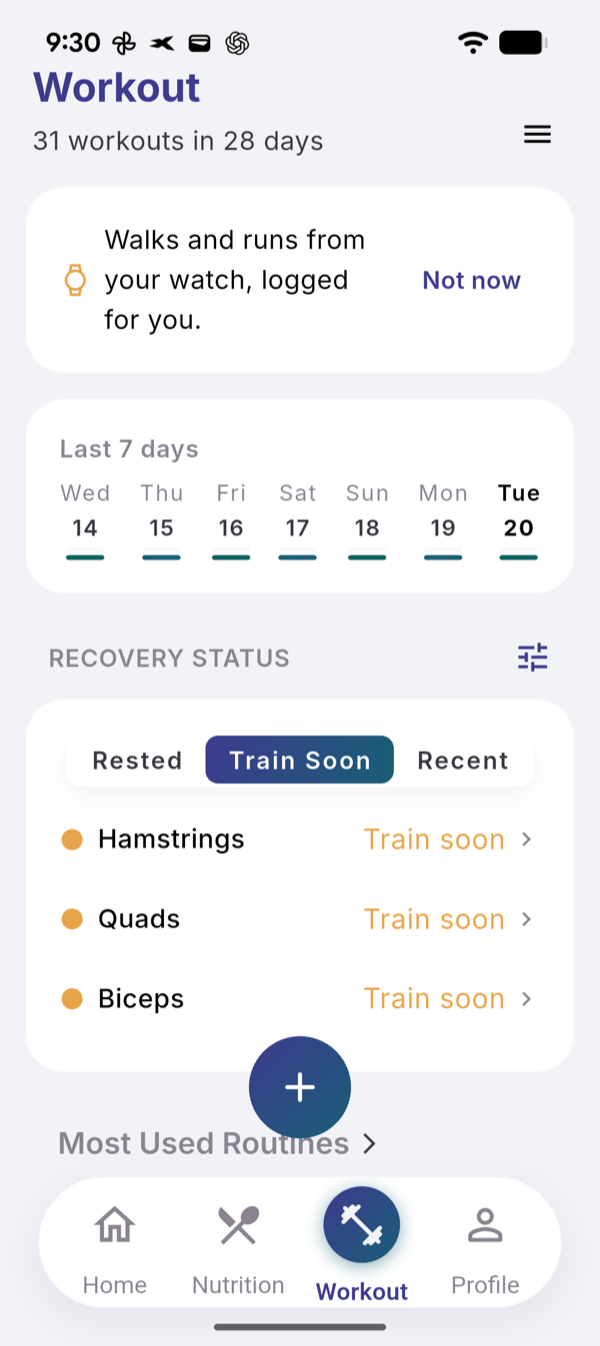
The RECOVERY STATUS list on the Workout tab shows each muscle group by the days since you last trained it. Fixed thresholds per group decide when it is ready, when to train it soon, and when it has rested long.
Steps
- Open the Workout tab and scroll to RECOVERY STATUS.
- Tap Rested, Train Soon or Recent to filter the list.
- Tap a group to open its page with volume, sessions and exercises.
- Tap the slider icon next to the title to open Muscle Groups.
- Tap the eye next to a group to hide it or show it again.
The days per group
| Muscle group | Ready from day | Train soon from day | Rested from day |
|---|---|---|---|
| Back, quads, hamstrings, glutes | 3 | 5 | 8 |
| Chest, shoulders | 2 | 4 | 7 |
| Biceps, triceps | 2 | 3 | 6 |
| Forearms, abs, calves, neck | 1 | 3 | 5 |
| Any other group | 2 | 4 | 7 |
The day you train is day 0. One set or ten start the same clock.
What you see
- Recent: grey means still recovering, green means ready. Rows say “Today”, “Yesterday” or “3 days ago”.
- Train Soon: the row says “Train soon”.
- Rested: a warning icon and the days since.
A filter appears only when it has at least one group. Full body is hidden by default. The list hides when your last strength session is more than 7 days old, and returns with the next one.
Limits
No AI and no limit, the same on Free and Pro. The thresholds cannot be edited.
Related
- Why it works this way: /blog/muscle-recovery-days-not-feelings
- /help/read-training-readiness
- /help/exercise-stats-and-estimated-1rm