
On the Workout tab, tap the round + button, choose Quick Activity (AI) and describe what you did with how long, for example “walked outside for an hour”. Check the duration and intensity, then tap Log Activity.
Steps
- Tap the round + button on the Workout tab and choose Quick Activity (AI).
- Type or say the activity with its duration, for example “morning jog 5k” or “30 min yoga”.
- Send it and wait for “Detecting activity…”.
- Check Duration and choose Light, Moderate or Vigorous.
- Add Notes (optional) if you want.
- Tap Log Activity.
What you see
The calories are an estimate: minutes × the activity’s calories per minute × intensity (Light 0.7, Moderate 1.0, Vigorous 1.3). They change as you edit duration or intensity.
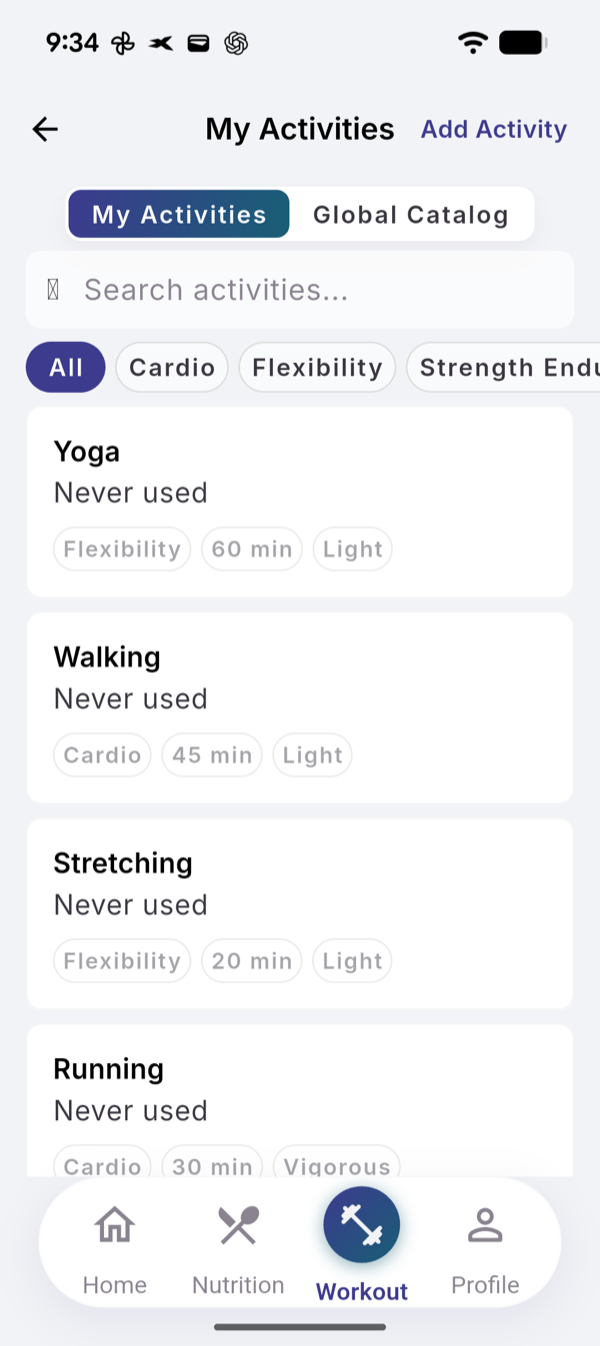
The first time you log an activity it is saved to My Activities (Workout menu). Next time, open it there, tap the activity and choose Log Activity. It fills in its usual duration and intensity and uses no AI. Global Catalog has more activities; Add to My Catalog saves one.
The activity appears in History and counts toward your training readiness. Activities from Apple Health or Health Connect come in through Health Sync, not this screen.
Limits
| Plan | AI activity estimates per 30-day cycle |
|---|---|
| Free | 8 |
| Pro | 60 |
Common activities are matched in the EvoLogs catalog with no AI and do not count. Logging from My Activities never counts. In your first week the Free number is doubled.
If it does not work
- “Couldn’t understand that”. Describe a physical activity, such as “30 min walk”.
- “Could not detect activity”. Tap Try Again.
- “AI limit reached”. Log it from My Activities instead, or wait for the next cycle.
Related
- Why it works this way: /blog/what-evo-does-with-your-training
- /help/read-training-readiness
- /help/edit-or-delete-a-past-workout