
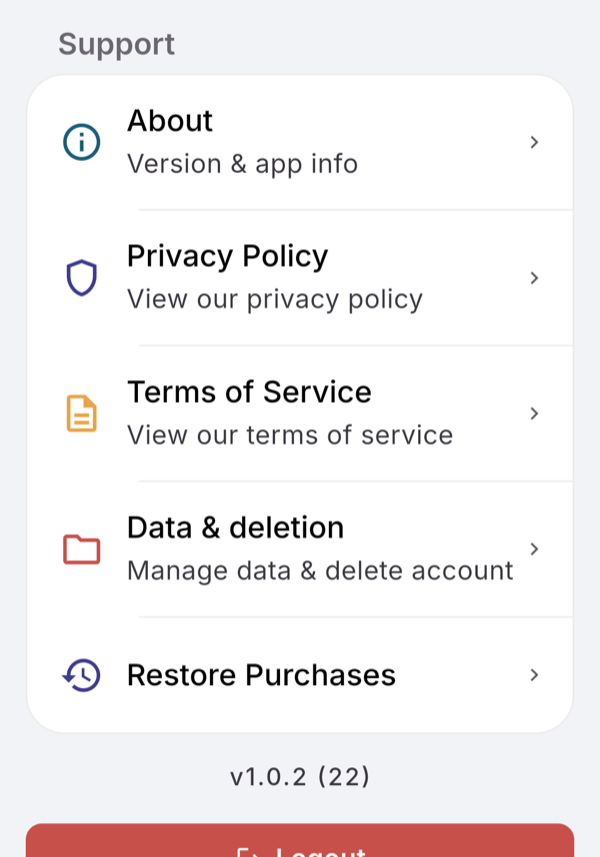
AI consent lives in Profile, AI & Data Sharing. Your data export and account deletion live in Profile, Data & deletion. A deleted account can be restored for 7 days by logging back in.
Steps
- To revoke AI consent, open AI & Data Sharing, tap Revoke consent, then Revoke.
- To consent again, tap Accept & Continue on the same screen.
- To get your data, open Data & deletion, tap Request Data Export, then Open Email, and send the email.
- To delete your account, tap Delete Account in Data & deletion.
- Enter your Password, or sign in with Google again, then type DELETE or tick the box.
- Tap Confirm Deletion.
What you see
- AI & Data Sharing lists “What we share with OpenAI” (profile info, goals and targets, meals, workouts, sleep and mood) and “What we never share” (your name or email, contact details or payment info), with “Consented on” and the date.
- Revoking stops meal analysis from text and photos, exercise and activity identification, workout estimates and AI plans. Your logs stay.
- Export. A copy of your data is emailed to the address on your account within 30 days. There is no download file.
- Deletion. “Your account will be deleted in 7 days. You can undo this by logging back in.” Log in during those days and tap Undo Deletion. Meal photos stay in your account until it is deleted; after the 7 days, your data and photos go.
If it does not work
- “Couldn’t open Mail.” Email the address shown and include your user ID.
- “Please confirm by checking the box or typing DELETE”.
Related
- Why it works this way: /blog/what-happens-to-a-photo-of-your-meal
- /help/log-a-meal-from-a-photo