
Open Profile, tap Health Sync under Settings, and tap Connect. Your phone then asks what EvoLogs may read and write. Health Sync is part of Pro and works on Free during your first 7 days.
Steps
- Open Profile and tap Health Sync.
- Tap Connect and allow the types on your phone’s permission screen.
- Under Read from health platform, keep the switches you want on.
- Under Write to health platform, turn on Workouts, Nutrition and Water as you like.
- Tap Export recent to Apple Health (or Health Connect) to send the last 7 days.
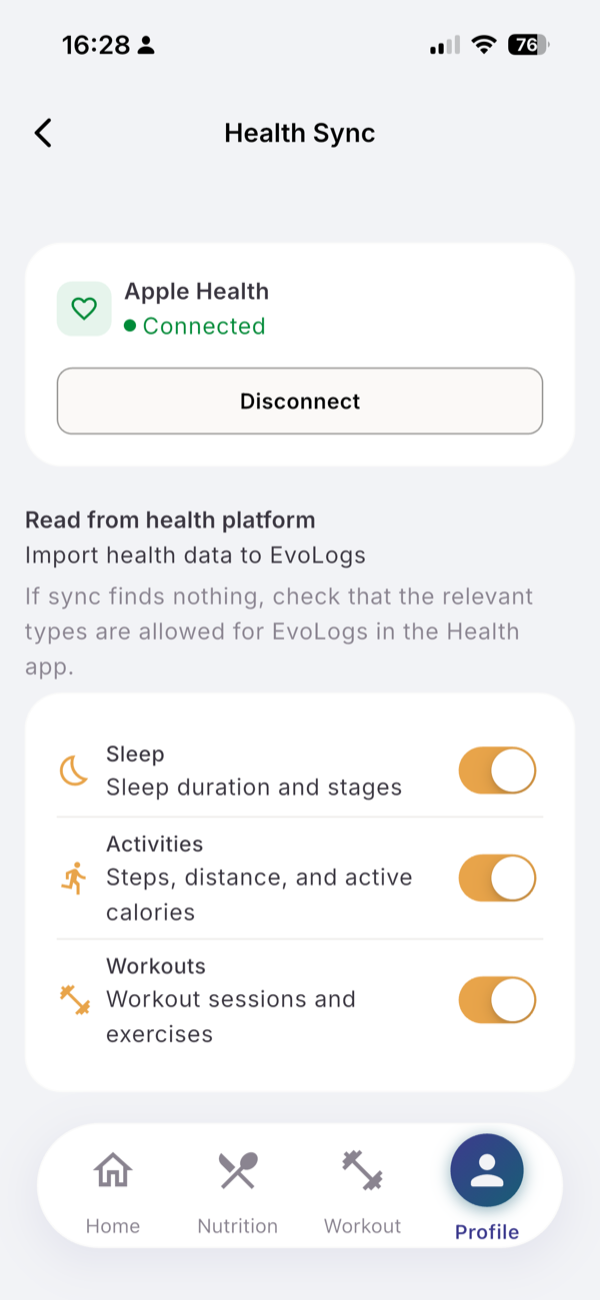
What you see
- Read. Last night’s sleep and your watch workouts, when you open the app. Nothing moves while the app is closed. Steps, distance and active calories are not imported.
- Write. A finished session, each meal you log and each water entry.
- Export. A line tells you how many entries were exported, skipped and failed.
Limits
| Plan | Health Sync |
|---|---|
| Free, first 7 days | Included, “Part of Early Access Week, until” the end date |
| Free, after that | Paused, settings kept |
| Pro | Included |
After the first week on Free, Sleep and Workout show “Health Sync is a Pro feature” with Upgrade. If you upgrade, sync resumes without asking for permissions again.
If it does not work
- “If sync finds nothing, check that the relevant types are allowed for EvoLogs in the Health app.” Tap Open health settings on the row that needs access.
- “Couldn’t sync to your health app”: a write failed. Tap the export button later.
Related
- Why it works this way: /blog/what-evologs-reads-and-writes-to-apple-health
- /help/free-vs-pro-limits